
Part I · Chapter 03
Creating Your First Setup
Choose File → New setup. The New setup dialog asks for:
| Field | Notes |
|---|---|
| Setup name | Required, at least 5 characters. |
| Scene type | General or Lab. |
| Units | Metric or Imperial. This sets the default working units; individual fields can still be switched later. |
| Permission | Public or Private. See Saving, Renaming & Managing Setups for how privacy and widget sharing work together. |
| Labels | At least one: General, Microscopy, Telescopy, Spectroscopy, Imaging, Non-linear optics, Fiber, Illumination, Light sources, Laser Optics or Diffractive Optics. |
| Description | Required, at least 10 characters. |
| Associated with publications | Optional. Adds fields for a paper's title, abstract, journal, authors and link. |
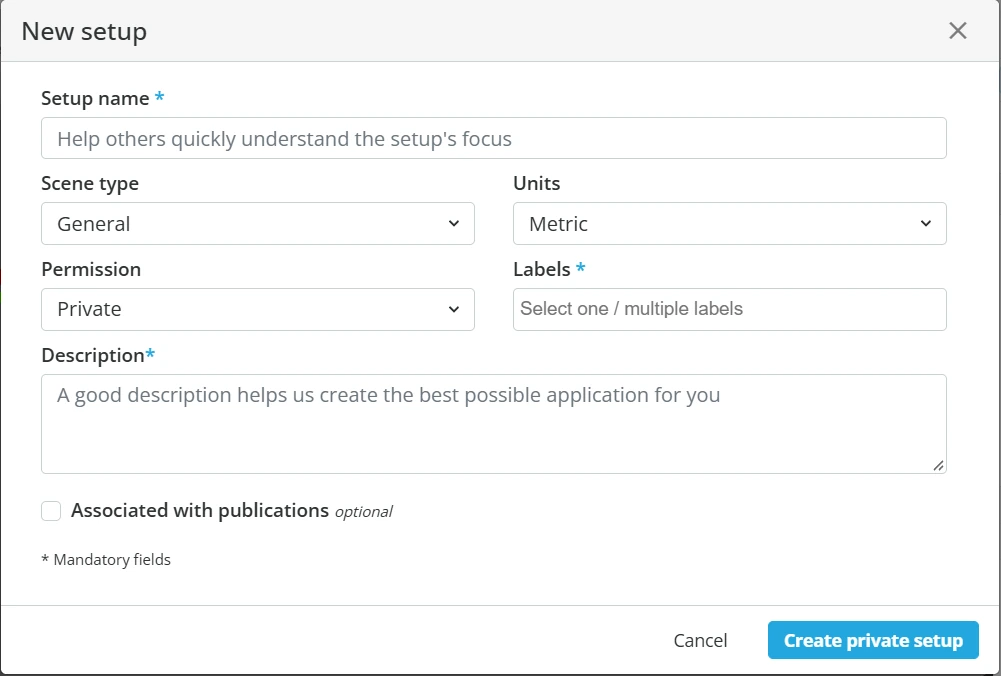
Click Create to open the new setup in the editor.
Opening an existing setup
From the File menu:
- Open → From cloud lists your saved setups.
- Open → From local uploads a setup file from your computer: a
.optfile, or a.zmxor.seqfile when the Zemax importer is enabled for your account.


